
Most online resume makers let you fill in everything and then ask for money when you click download. Some want you to sign up first. Some put a watermark over the final file. It's frustrating, especially when the interview is tomorrow and you just need a resume that works.
There is a free way to do it. In this post I'll use ResumeSathi's free resume builder and go through it one screen at a time. I'll also tell you what to write in each section, because filling the boxes is easy, but knowing what to put in them is the harder part.
Follow the steps below and you'll have a resume ready to send by the end.
Why Make Your Own Resume
Many freshers pay someone to make their resume. A month later they want to add one new course, and they have to ask again, pay again or wait for a reply. When you make it yourself, a change takes two minutes.
You also know your own work better than anyone else. If you write the summary and skills yourself, the resume sounds like you, and you can talk about every line in the interview without getting confused.
An online resume maker also saves you from Word problems. No broken tables, no shifting margins, no photo jumping to the second page. You type, and the layout stays where it is.
What You Need Before You Start
Keep these things next to you before you begin, so you don't have to stop in the middle and look for them.
- Your full name, email address and phone number
- Your education details with the college or school name and the year
- Your work experience or internships, if you have any
- A list of your skills
- Any certificates or courses you completed
- Links like LinkedIn or GitHub, if they matter for your job
- A passport size photo, only if the job or the template needs it
Note: Use a simple, professional email address. yourname@gmail.com is fine. Something like cooldude_786@gmail.com is not going to help you.
Is It Really Free?
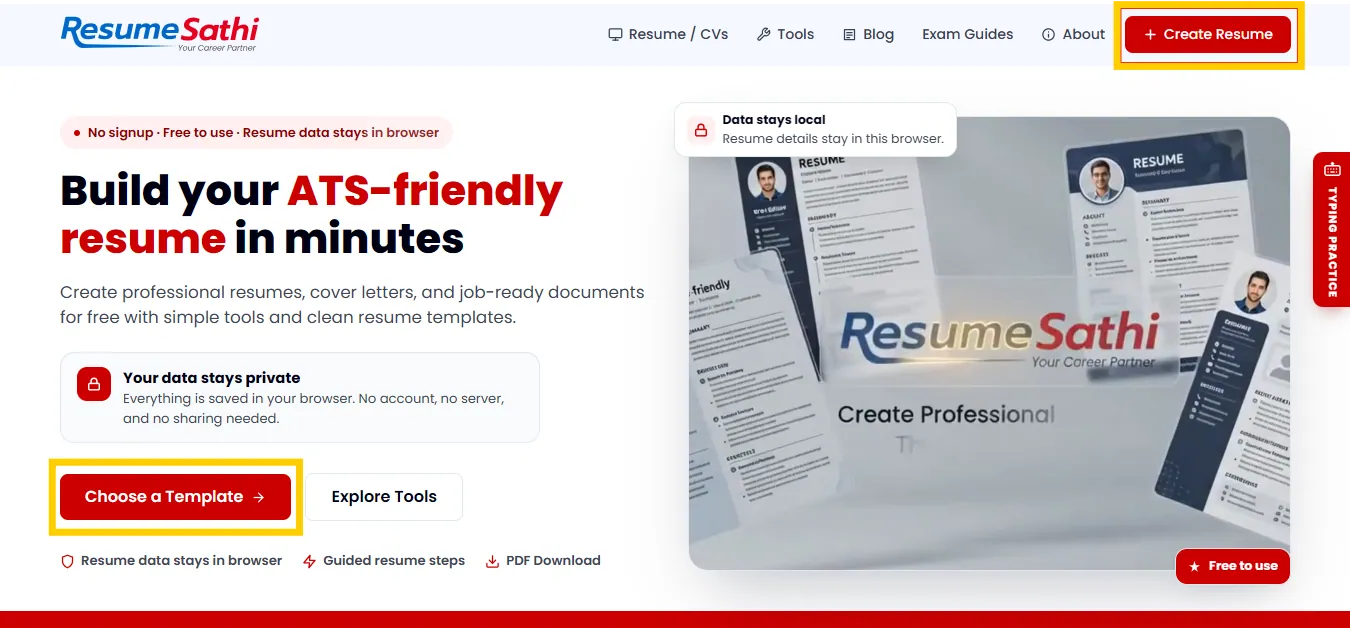
Yes. The homepage says there's no signup, it's free to use, and your resume data stays in your browser. That means there's no account to make.
One thing about this. Because the data stays in your browser, clearing your browser data halfway can wipe your work. Try to finish in one sitting on the same device, and download the PDF when you're done so you have a backup.
Step 1: Open the Resume Builder and Click Get Started
Go to the free resume maker on ResumeSathi. The homepage has a "Choose a Template" button, and there's a "Create Resume" button at the top right. Click either one.
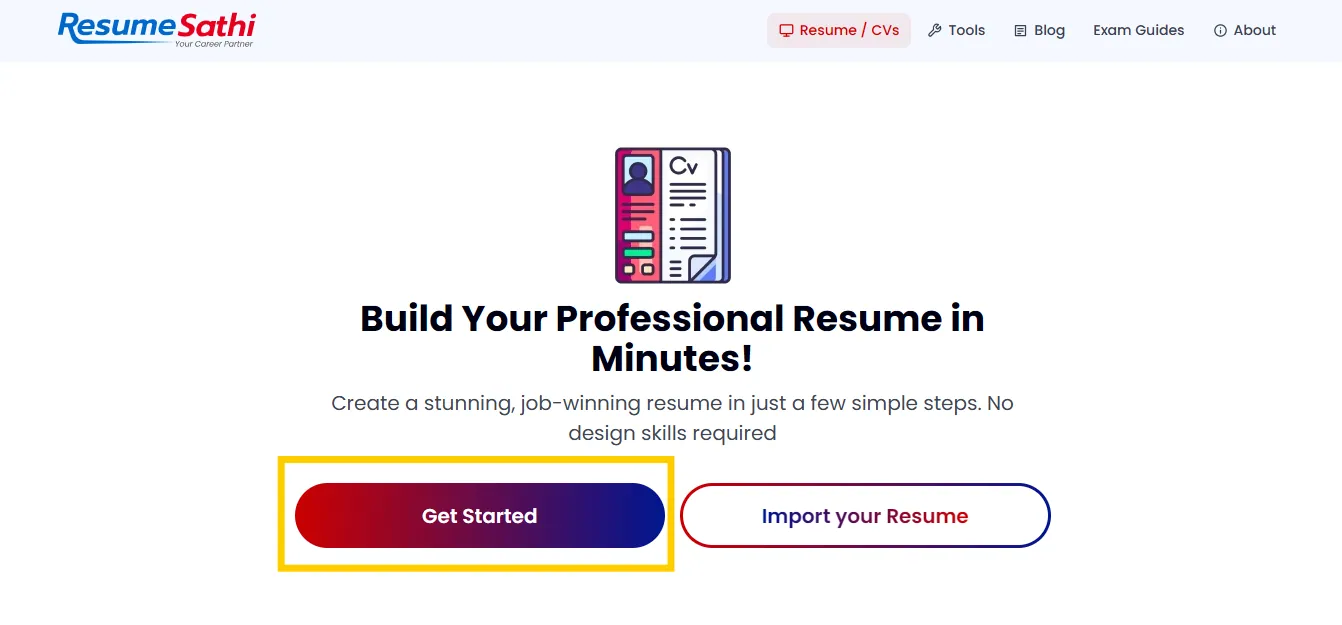
The next page says "Build Your Professional Resume in Minutes" and shows two buttons. "Get Started" is for making a new resume from scratch. "Import your Resume" is for when you already have one and want to bring it in.
If this is your first resume, click Get Started.
Step 2: Choose Your Resume Template
Next you get the template page. Take a minute here, because the template decides how your resume looks and how easy it is to read.
On the left there's a Customization panel with three options:
- Font style: Poppins, Roboto, Arial or Montserrat
- Layout style: All, Single Column or Two Column
- Color palette: a few colors to match your taste
If you can't decide on a layout, this table might help.
| If you are... | Pick this layout | Why |
|---|---|---|
| A fresher applying for many jobs | Single column | Easy to read and works well with ATS software |
| Applying for a design or creative role | Two column | Gives you space to show skills and personality |
| Experienced with a long work history | Single column | Jobs can be listed in a clear order from top to bottom |
| Not sure yet | All | Lets you look at every template and decide |
For fonts, Arial and Roboto look fine on every screen. Poppins and Montserrat look a bit more modern. Any of them works as long as the text is easy to read.
You can also compare layouts before choosing. All the resume types and templates are listed on one page.
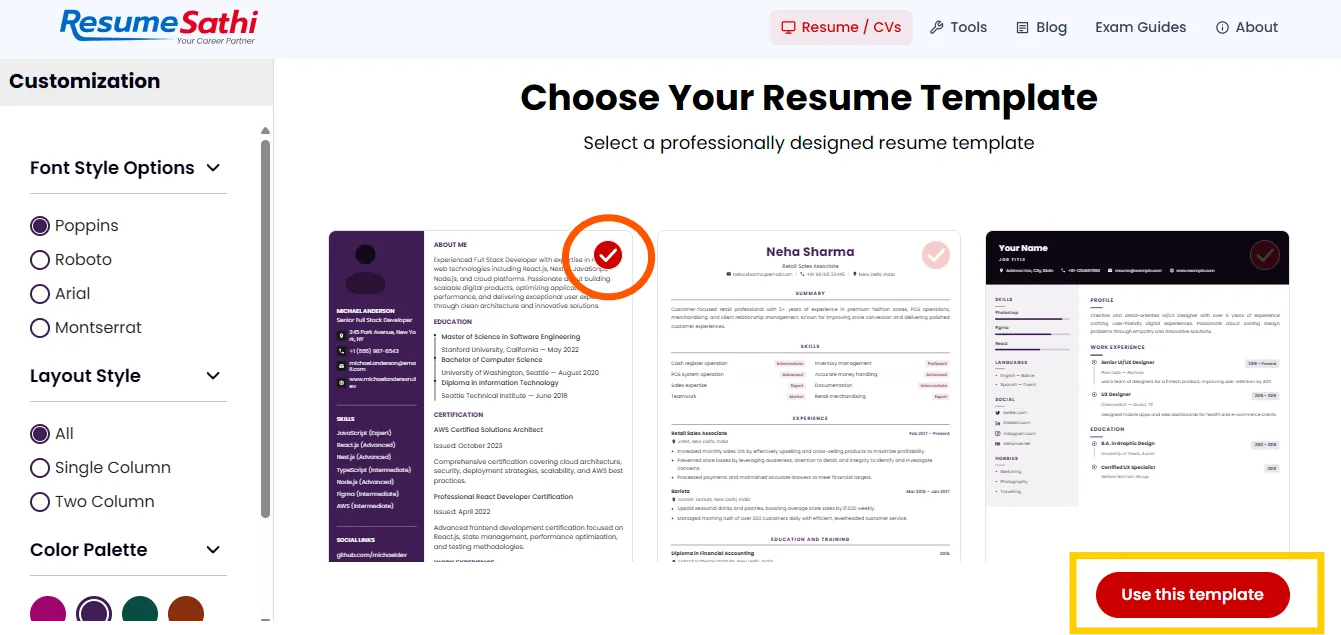
When you find one you like, click the red "Use this template" button at the bottom right. You can change the template later, so it's not a big decision.
Step 3: Fill in Your Personal Information
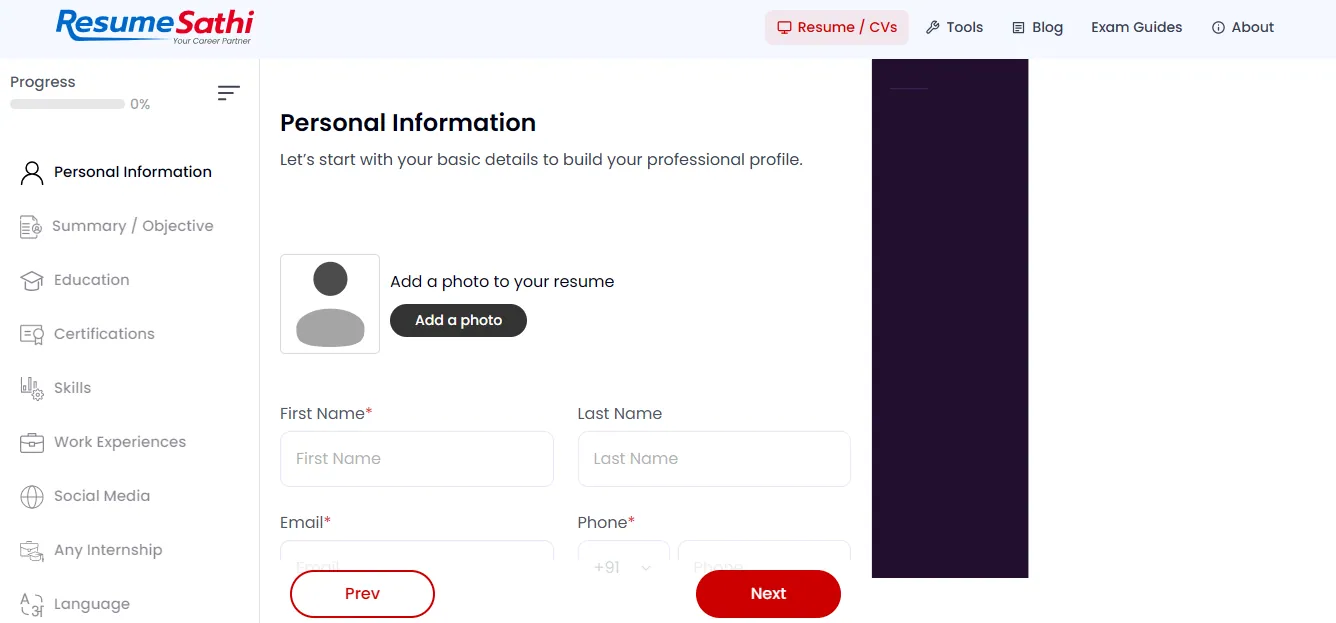
The first form asks for your basic details. There's a progress bar at the top left. It starts at 0 percent and goes up as you complete each section.
You'll fill in:
- Photo (optional)
- First name and last name
- Phone number with the country code (the default is +91, and you can change it)
- Job title and address
Fields with a red star are required.
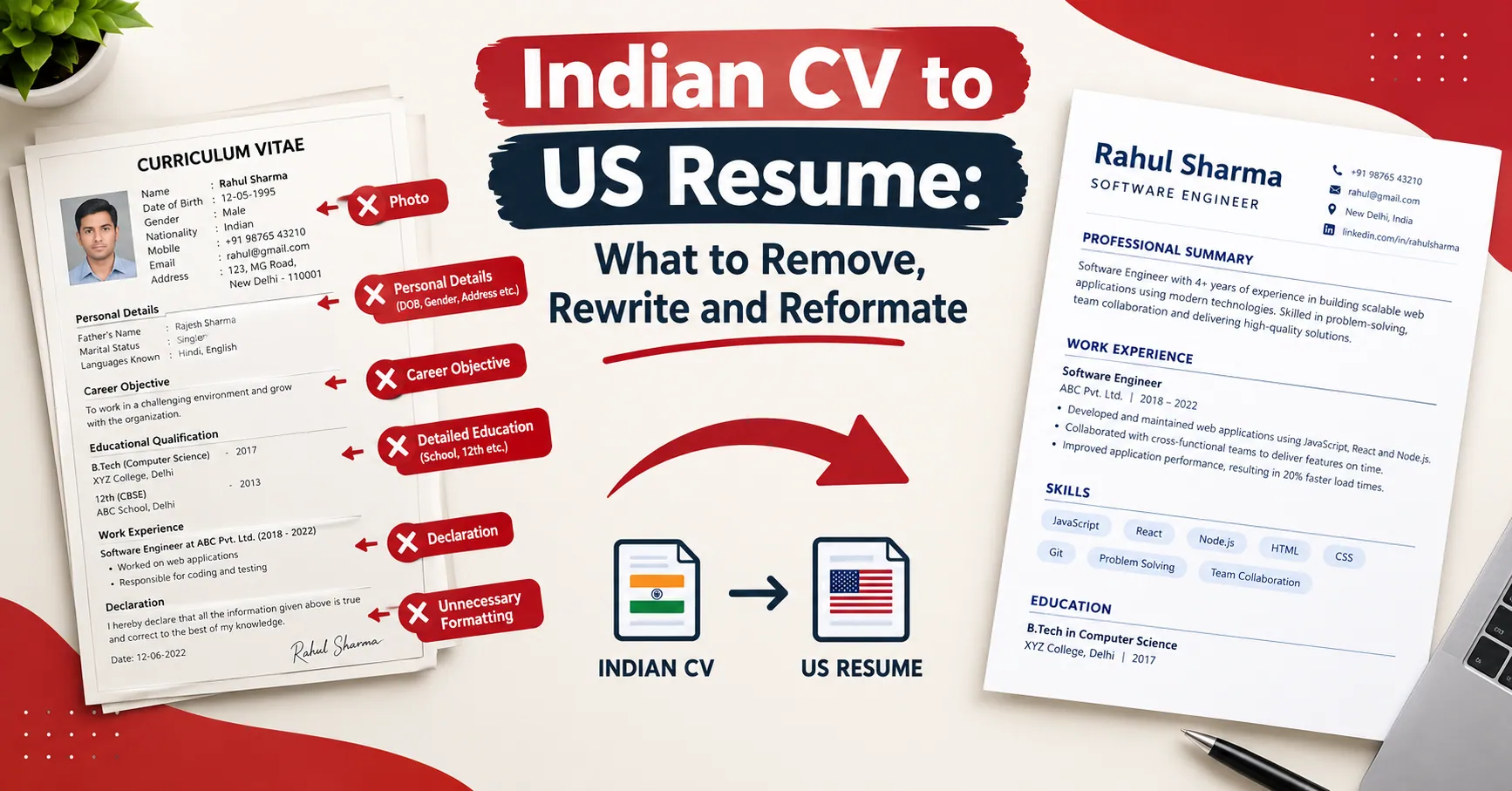
About the photo. In some countries, including India, a photo on the resume is common for government, banking and some private jobs. In the US, and for most IT jobs, it usually isn't needed. Check the job post. If it doesn't mention a photo, leave it out.
Also fill in the job title, and make it specific. If you're applying for a sales executive job, write "Sales Executive". Recruiters look at the top of the page first, so a clear title tells them what you want right away.
Step 4: Write a Short Summary or Objective
Summary or Objective is the second section. It's a short paragraph, two to four lines, at the top of your resume.
If you're a fresher, write an objective: who you are, what you studied and what job you want. For example:
Commerce graduate from Delhi University looking for an accounts executive role. Good knowledge of Tally and Excel, and completed a 3 month internship in a small trading firm.
If you have experience, write a summary instead. Say how many years you've worked, what your main area is, and one or two things you did well.
Note: Don't copy a summary from Google. Recruiters read the same lines in hundreds of resumes. Two simple lines in your own words are better than five big ones.
Step 5: Add Education, Certifications and Skills
Education, Certifications and Skills come next. They're easy to fill, but some details matter.
Education. Start with your latest degree and go backwards. Add the course name, the college or university and the year. If your marks are good, add them. The builder also lets you mark a course as ongoing, which is handy if you're still studying.
Certifications. Add only those related to the job. A Tally course matters for an accounts job. A Python course matters for a developer job. A cooking class certificate doesn't do much for an office job, so skip it.
Skills. Pick the skills that match the job post. If the company asks for MS Excel, communication and data entry, and you have them, use the same words. ATS software looks for the words from the job description, so this helps.
| Section | What to write | Common mistake |
|---|---|---|
| Education | Course, college, year | Starting with school instead of the latest degree |
| Certifications | Only job related courses | Listing every certificate you ever got |
| Skills | Skills that match the job post | Adding skills you can't explain in an interview |
Step 6: Add Work Experience and Internships
Recruiters spend the most time on this section, so give it some time. For each job, write the company name, your role, the dates and a few points about what you did.
Write short points, not paragraphs, and add a result if you can. Compare these two:
- Handled customer calls
- Handled around 60 customer calls every day and solved most issues on the first call
The second one tells the recruiter much more. You don't need an exact number every time, but a rough honest number is better than none.
Freshers, don't leave this part empty. The builder has a separate "Any Internship" section. Put your internships, college projects or small freelance work there. Nobody expects five years of experience from a fresher, but it's good to show you've done something practical.
Not sure which format suits your career stage? This page on which resume format to choose may help.
Step 7: Social Media, Language and Hobbies
The last few sections are short.
Social Media. Add your LinkedIn profile. Developers can add GitHub, and designers or writers can add a portfolio link. Update the profile first, because recruiters do click these.
Language. Write the languages you can speak and write, like English, Hindi and Bengali. You can set a level for each one, and it shows as small dots on the resume.
Hobbies. This is optional. Write only what's true. If you play football, write football. Don't write "reading" if you haven't touched a book in two years, because the interviewer may ask which book.
Each small form has Save and Cancel buttons. Click Save after every entry, or it won't be added to your resume.
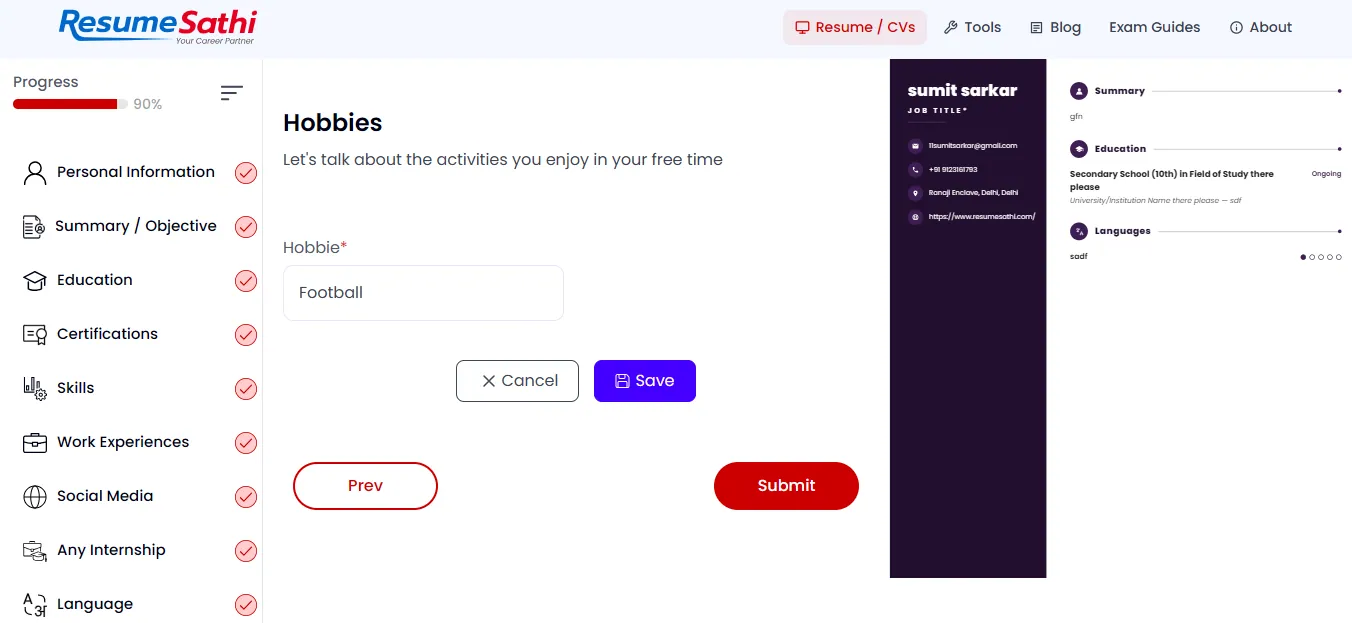
In the screenshot the progress bar shows 90 percent, so you're almost done. Click Submit.
Step 8: Preview and Edit Your Resume
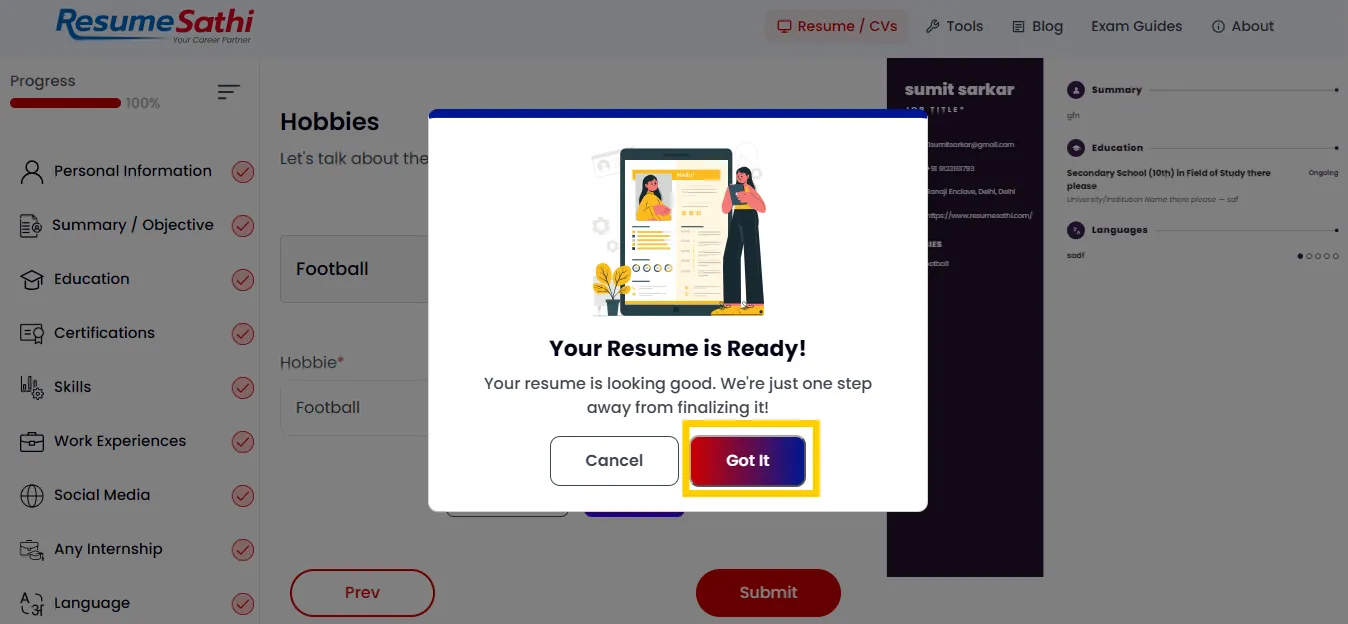
Click Submit and a box shows up that says "Your Resume is Ready!". Click "Got It" to continue.
Now the full resume opens in a big preview. Read it slowly from top to bottom and check for:
- Spelling mistakes in your name, email and phone number
- Wrong dates
- Blank fields or sample text you forgot to change
- Anything that is cut off or looks strange
Note: Check your phone number and email twice. One wrong digit and the recruiter can't reach you, and you'll never know why the call didn't come.
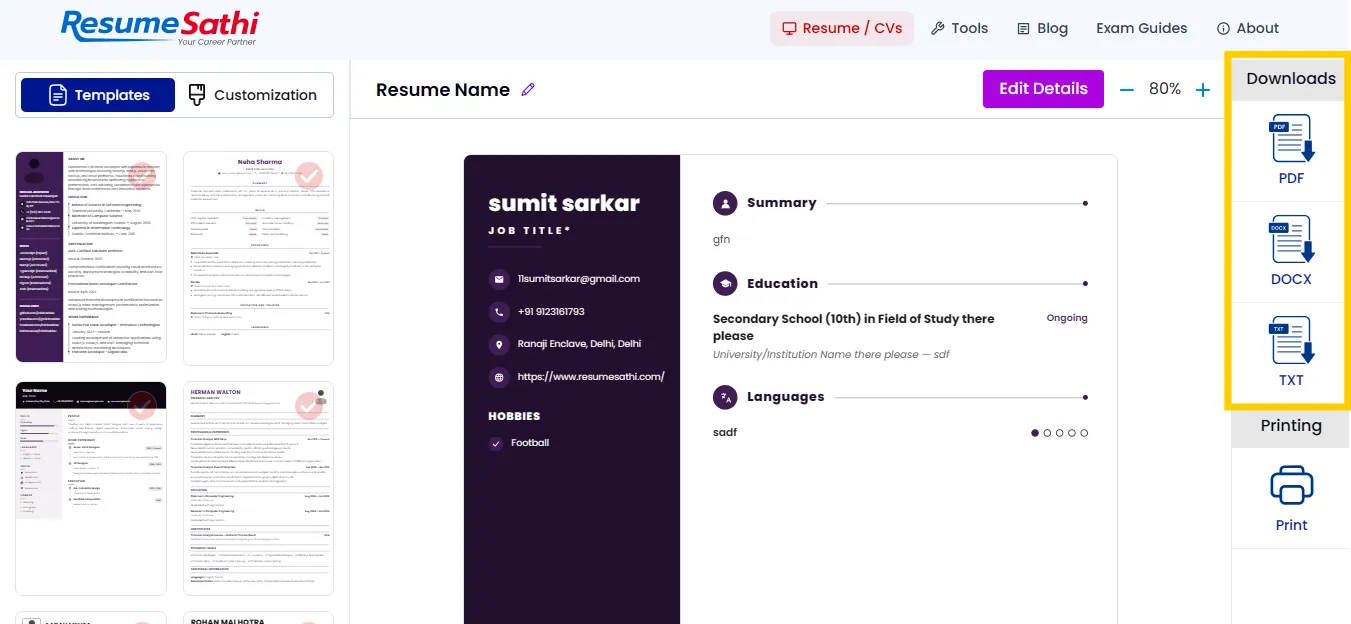
If you find a mistake, click "Edit Details" and fix it. The pencil icon next to "Resume Name" lets you rename the resume, and the zoom option helps you read small text. The Templates and Customization tabs on the left let you change the design.
Step 9: Download Your Resume
When everything looks right, check the right side of the screen. The Downloads panel has PDF, DOCX and TXT, and below it there's a Print button.
Which one you pick depends on where you're sending it.
| Format | Best for | Note |
|---|---|---|
| Email, WhatsApp, most job portals | Layout stays the same on every phone and computer | |
| DOCX | When you want to edit the file later in Word | Some portals and recruiters also ask for Word files |
| TXT | Portals that ask you to paste plain text | No design, just the content |
| Walk in interviews and job fairs | Take two or three clean copies with you |
For most jobs PDF is fine. Rename the file properly, like Rahul-Sharma-Resume.pdf. A file named "resume final 2 new.pdf" looks careless in a recruiter's inbox.
How to Make Your Resume ATS Friendly
ATS stands for Applicant Tracking System. Many companies use it to scan resumes before a person reads them. If the software can't read your resume properly, it can get rejected even when you're a good match.
A few things help:
- Use normal headings like Education, Skills and Work Experience
- Avoid too many images, icons and fancy graphics
- Use words from the job description wherever they're true for you
- Keep the font simple and the text size readable
- Save the file as PDF unless the company asks for something else
Single column is usually the safest for ATS. You can compare layouts on this page of ATS friendly resume templates and types.
Common Mistakes People Make in a Free Resume
These mistakes are very common, so check your resume for them:
- Too long. Freshers should stay on one page, and even experienced people should not go beyond two.
- Same resume for every job. Change the summary and skills a little each time. It takes five minutes.
- Skills you don't really have. The interviewer will ask about them, and it goes badly.
- Sample text left in. The preview in the screenshots still shows placeholder lines like "Secondary School (10th) in Field of Study there please". Replace everything with your real details.
- Not opening the final file. Open the downloaded PDF once and read it before sending.
Resume Tips for Different Situations
A fresher's resume and a resume with ten years of experience shouldn't look the same. A resume for a startup is also different from one for a government form.
Students should keep education at the top and put projects and internships right after it. If you're changing your field, start with the summary and skills, so the recruiter sees what you can do before your old job titles. Got a gap in your career? Be honest about it, and add any course or freelance work you did in that time.
More styles are listed under different types of resumes on the site. Keep two or three versions saved for different kinds of jobs.
Other Free Tools on ResumeSathi
ResumeSathi has more than the builder. The homepage talks about cover letters and other job documents, and the menu has Tools, Blog and Exam Guides. If you apply by email, a short cover letter is useful because you can say why you want that particular job.
Whenever you need another version for a different job, go back to the free online resume builder and make it again.
Frequently Asked Questions
Can I create a resume for free without signing up?
On ResumeSathi you don't need to sign up or make an account. Pick a template, fill in your details and download the file.
Is my data safe?
The site says your resume data stays in your browser. Still, download a copy, so you don't lose it if you clear your browser.
Can I download my resume in Word format?
You can download PDF, DOCX or TXT. There's also a Print button.
Can I change the template after I fill in my details?
The Templates tab is there on the preview page, so you can try another design from it. Check the preview again after you switch.
Can I use this if I already have a resume?
The start page has an "Import your Resume" button, so you don't have to start from zero.
How long does it take to make a resume?
Not long if your details are ready. Most of the time goes into writing the experience points.
Which resume format is best for freshers?
A single column PDF, one page long, is a good choice. Focus on education, skills, projects and internships.
Conclusion
Making a resume isn't hard and it doesn't have to cost anything. Pick a template, fill in each section honestly, check the preview and download the file.
Don't wait for a perfect resume. Make a good one today, send it, and improve it later. You can start now with the free resume maker. All the best for your job search.
Comments
No comments yet. Be the first to comment.